Click on Beacon Members' Portal
Access to the Portal is via your email address and a password that you set. When you click on 'Beacon Members' Portal', you will see the screen on the left. However, the first time you try and access the Portal you will need to register and set a password.
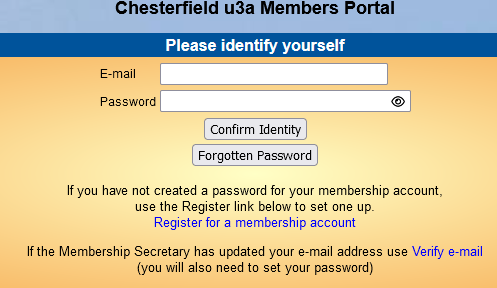
To Register: ignore the email address/ password boxes and go down to where it says 'Register for a Membership Account'. Click on that link.
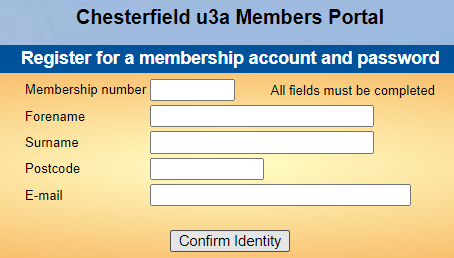
Now you should see the second image on right.
You will be asked for five items of information:
• Membership Number – this appears on last year’s card;
• Forename and then Surname (also on your existing card);
• Post Code in the format S40 7XX ;
• email address – this must be the one that we have in your record.
Click on 'Confirm Identity'. If any of these items does not agree with our record, all the 'boxes' will go blank. Please check your data.
You will then be asked to set your password. Please follow the instructions carefully.
If you wish, you can view instructions about the new portal here MP Video
One last thing regarding payment. Payments are processed by PayPal but you do not need a PayPal account so keep going until you reach their site where you will be given the option to pay by Card. PayPal will, however, sign you up unless you untick a box!
You can now proceed to the Beacon Members' Portal
If you have any questions about using Beacon, please contact the Beacon Administrator